

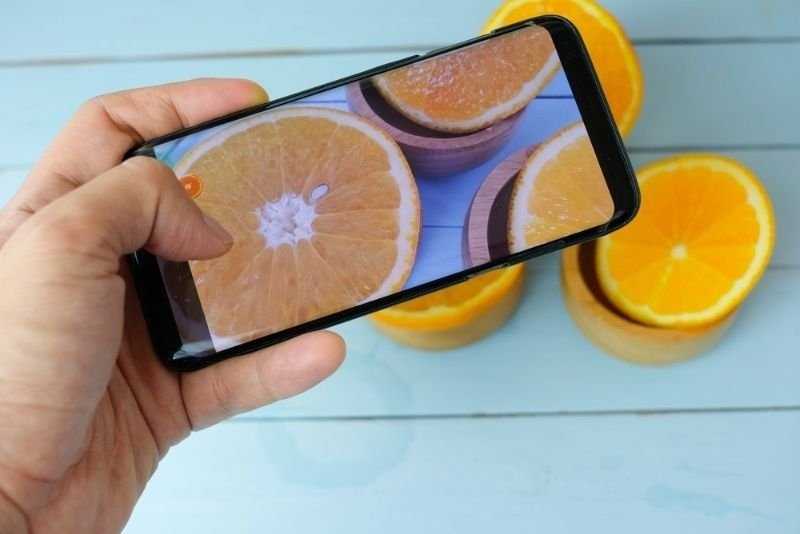
RAW photography is one of the absolute best ways to step up your image quality without the need to purchase any additional gear. Instead of saving an over-processed photo, it maintains far more of the original data captured by the camera's sensor.
Regardless of whether you're using a DSLR, a mirrorless camera, or even testing the quality of mobile RAW photography, understanding how to shoot in RAW gives you incredible control and top-notch quality in every editing session.
RAW photography is a method of retaining nearly all the data that is recorded by a camera's sensor as an image. Instead of saving a compressed file like a JPEG, a RAW photo retains the raw image data to be edited later.
This RAW photo data gives a photographer more creative control over the resulting photograph. Photography and RAW image files essentially allow you to create the final photograph by editing it. However, at the same time, giving you full control, not the camera's image processors that work inside the camera chip.
The most obvious difference between RAW vs JPEG images lies in the amount of data each image file actually contains. Here are some other differences:
Feature | RAW | JPEG |
|---|---|---|
| File size | Large | Small |
| Image data | More data | Less data |
| Editing | More flexibility | Limited |
| Quality | Higher | Good |
| Sharing | Needs processing | Ready to share |
| Best for | Professional editing | Quick use |
Choose RAW when storing space is not a concern and image quality is the utmost priority (e.g., for portraits, landscapes, and commercial work) and you want the highest level of editing control. JPEG images are convenient when you are dealing with large amounts of images and need a smaller file to send quickly without editing.
Here are some of the major benefits of shooting in RAW:
Shooting in RAW allows you to recover the "lost" parts of a bright sky or a dark shadow in a photograph. That photo that appears to be overexposed or underexposed in fact contains recoverable image data within the RAW file.
This dynamic range in RAW files gives you more freedom to shoot confidently in very contrasty lighting situations. Rather than losing the subject that's underexposed, you have a better chance of retaining enough information to pull it out during RAW photo editing.
RAW files include more colour information than compressed files, thus leading to richer tones and more natural skin tones, sunsets, and landscapes after RAW photo editing.
When white balance may look incorrect, a RAW photo can be edited to adjust the white balance afterward with no degradation in image quality – one of the many benefits of shooting in RAW.
Every photographer has his or her own unique style of editing. RAW photography grants you the ultimate control over the brightness, contrast, texture, and colour, all without permanently affecting the original photo.
Since the RAW file is untouched, you can edit the same photo multiple times into drastically different, professional-looking photos without risking over-editing.
RAW photos should be used anytime you care more about image quality than about storage space. Consider using RAW for portraits, weddings, travel, product photography, family photos, wildlife, etc.
RAWs can also be great to shoot in when you are learning how to edit photos so that the information used can be saved for later. Even though your first attempts at editing a photo might not be perfect, your RAW file will contain all the necessary information.
Many modern smartphones now have a RAW function that can be used via your native camera application or through a professional shooting mode. This smartphone's RAW photography offers far superior editing power compared to standard photo files.
The quality of each RAW photo may differ between phones, but even an underdeveloped smartphone RAW will contain more highlight and shadow data than a standard JPEG photograph of the same image. RAW files of sunrises, sunsets, architecture, and dim environments, among other topics, will offer a greater amount of editing flexibility with smartphone photography.
RAW photo editing is nowhere near as difficult or overwhelming as it might seem to you. If you follow a consistent workflow during editing, your RAW files can be edited for completely natural and professional-looking results.
These are some basic RAW photo editing principles, but it helps to make the smallest adjustments possible for truly enhanced, rather than edited, photos.
Most beginner photographers who shoot in RAW make the same editing mistakes, reducing the potential of their RAW images. You will want to correct these common errors to ensure the best quality out of every image that you take.
Be sure not to over-saturate your images, sharpen details too drastically, or over-lift shadows to the point where they become noisy. These fine-tuned steps can either make or break an image.
Although RAW photography allows for maximum quality and the greatest editing potential, it is not always the right choice for every situation. A casual snapshot of everyday life or a quick photo that you would like to share on social media may be perfectly sufficient as a JPEG image.
For those who consider photography a passion, the ability to use RAW for amazing images and future editing improvements can make taking that extra step to RAW an incredible experience.
Recommended Article: Photography Composition Rules From Thirds to Negative Space
RAW photography grants photographers much greater control, image quality, and creative freedom than standard image formats. Understanding RAW vs JPEG gives you the ability to shoot for whatever comes up as well as allows the possibility to unlock your photos’ full potential during editing, regardless of when you edit them.
Whether you’ve made the jump to that new pro body or decided to give the phone’s new RAW mode a try, learning to shoot (and edit) photos in RAW format will serve you well as your skills develop.
Yes. RAW photography is very good for a beginner since it offers more leeway to correct exposures and colours, as well as an easier method for practising editing without ruining original images over time. It is a rewarding method to learn editing with an improved final product that is built upon original captures.
RAW shooting mode will slow down my camera's continuous burst speed due to larger file sizes, but it is rarely noticeable in normal shooting unless you are a sports or nature photographer who must have speed of shooting with memory cards of greater capacity.
With the current format of most social media, you cannot upload RAW images directly. You must edit the RAW image prior to uploading it, where it can be exported as a better image than a standard JPEG.
An average RAW picture is much larger than a JPEG image, ranging from 20 MB all the way up to beyond 60 MB for some cameras. It is highly recommended that you purchase a large SD card for RAW imaging. The ideal strategy for storing RAW images is often to back up images regularly.
Not all phones have a RAW camera, but most modern flagship smartphones definitely have the option to turn RAW on. You should be looking for something called “Pro” / “Manual” / “Expert” shooting in most cases.
This content was created by AI